Shore User Dashboards
| Audience: | All users |
| Last Reviewed: | 27 January 2026 |
| Introduction: | How to use the homepage, which appears each time you start ShipSure |

The various home pages & dashboards will have a different look and feel dependant on the profile the user has.
When the user logs into the ShipSure application the Dashboard will display the most important information that they will require to deal with in Real Time
Having this visual aid to display in Real Time the areas that would cause concern or require immediate attention will assist with the vessel's performance and reaction time to dealing effectively with the work that is required to be done on board the vessel

A Shore based user's Dashboard will display data in Real Time and allow access to much of the information below
The current Dashboards available to users are as listed below, however, depending on the user's profile only the dashboard assigned will be available
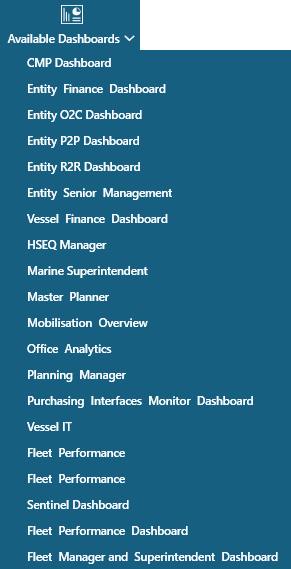
Below is a selection of screen shots and descriptions of some typical dashboards along with the information and access they provide to the user
HSEQ Manager Dashboard
The HSEQ Manager Dashboard provides a view to other available dashboards when the correct permissions are applied and direct access to all relevant modules
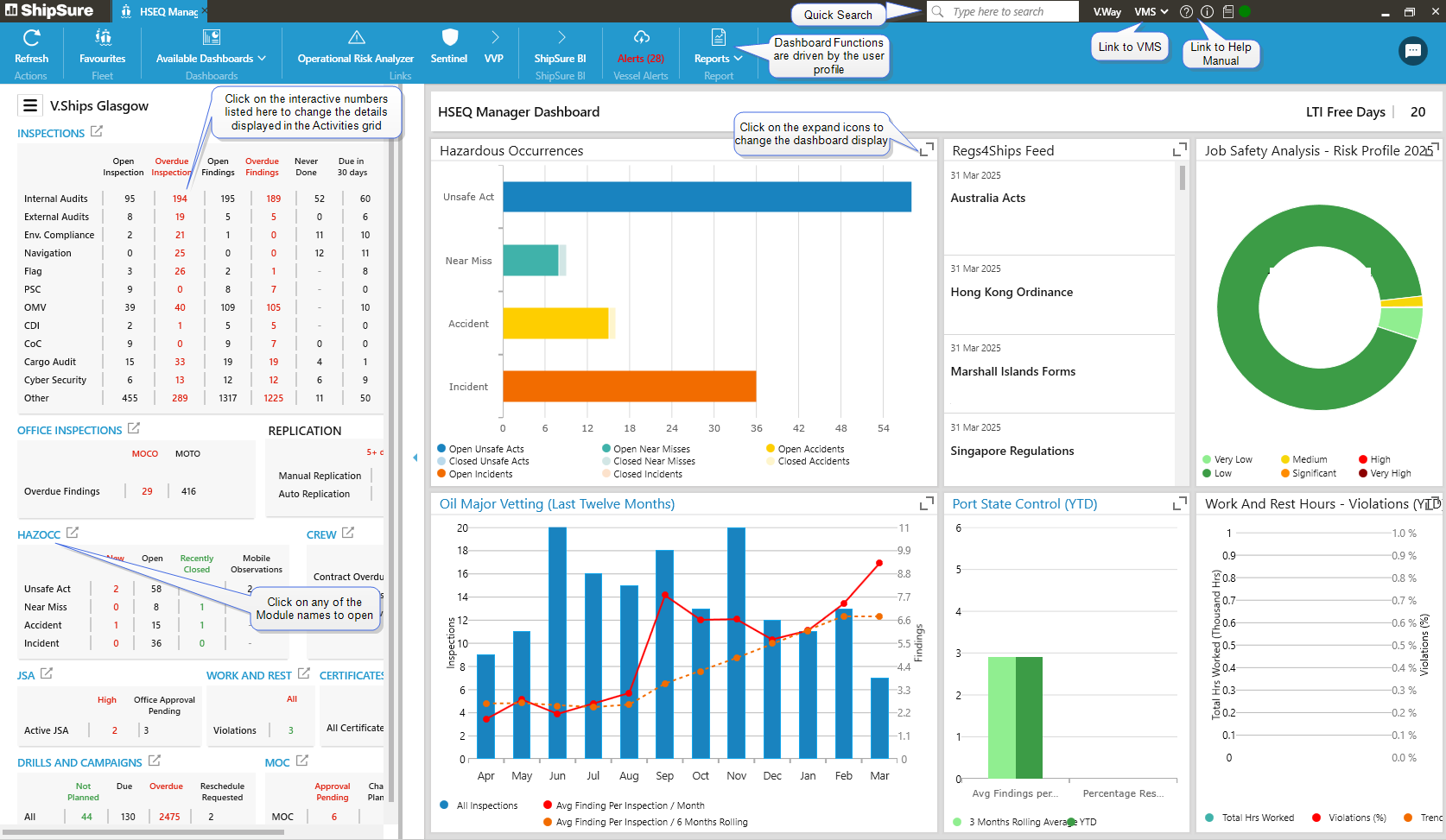
The HSEQ Manager Dashboard includes access to:
- Hazardous Occurrences
- JSA Risk Profile
- OMV
- PSC
- W&R Violations
Marine Supt. Dashboard
The Marine Superintendent Dashboard provides a view to assigned vessels and has direct access to all relevant modules
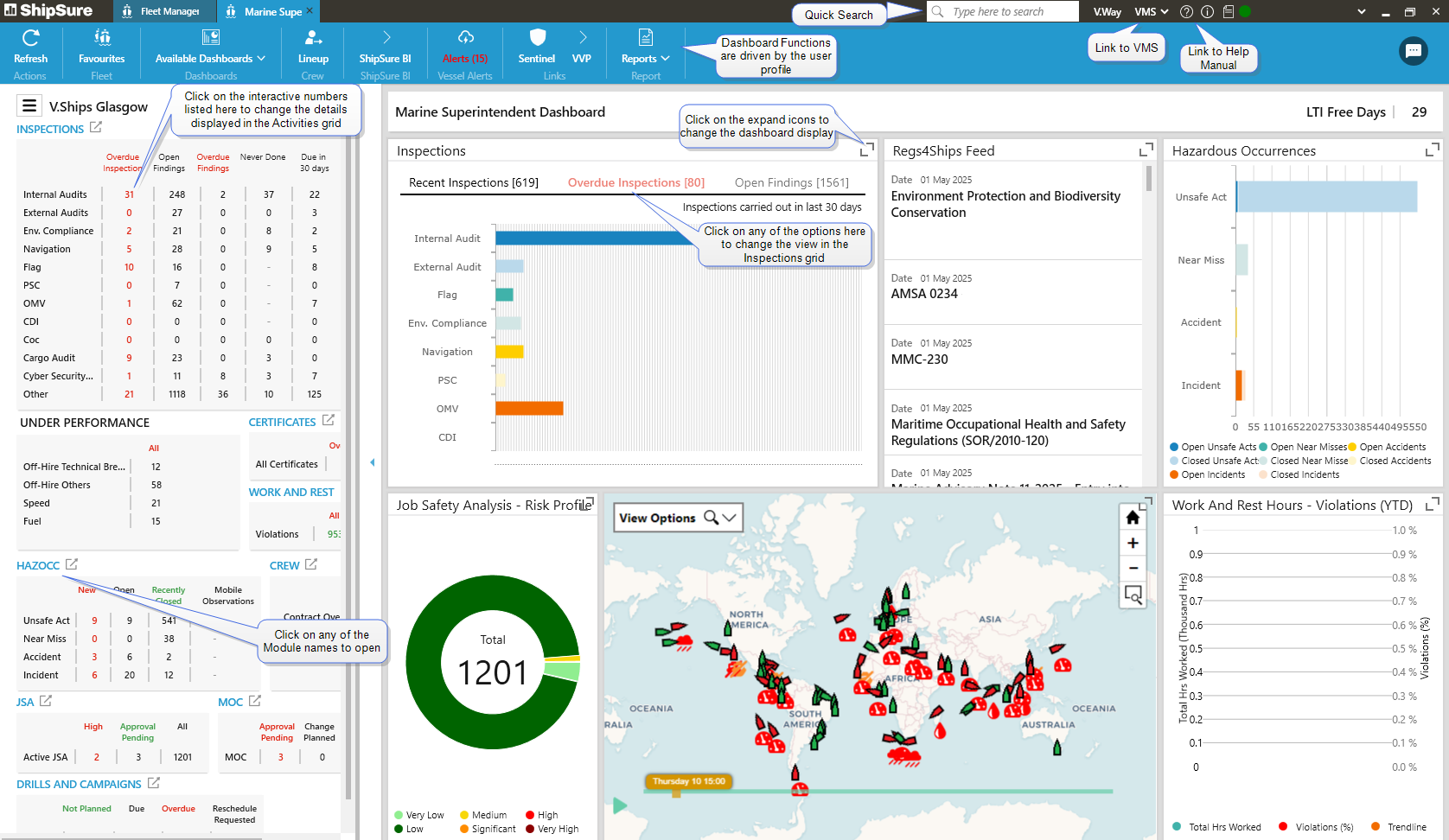
The Marine Superintendent Dashboard includes access to:
- View all vessels or individually assign vessels
- Inspections at various stages
- HazOcc
- JSA Risk Profile
- Vessel Status